
Defining your funnel and Northstart KPI
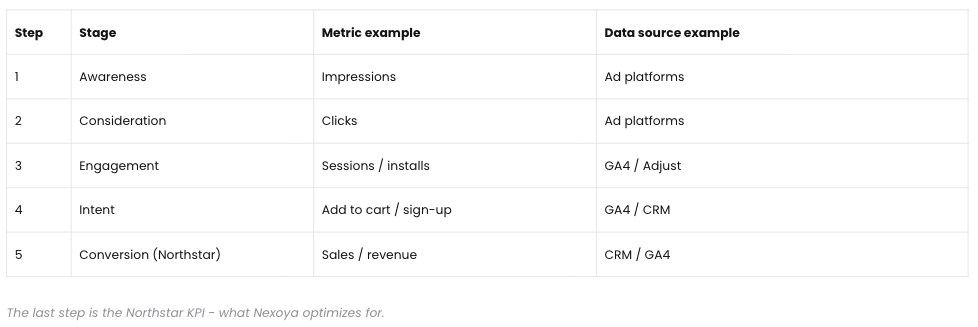
Every portfolio has a funnel: three to five steps that describe your customer journey, for example Impressions, Clicks, Sessions, and Conversions. Each step is tied to one metric from your connected channels or analytics. The funnel determines what you see in the Performance tab, so defining it well is the most important setup decision.
The last step of the funnel is your portfolio target, also called the Northstar KPI: the metric that matters most to your business, such as conversions, leads, or revenue. In Nexoya Starter, this is the KPI your performance view centers on. On Nexoya Premium, it is also what the AI optimizes your budget toward.
Where to find it
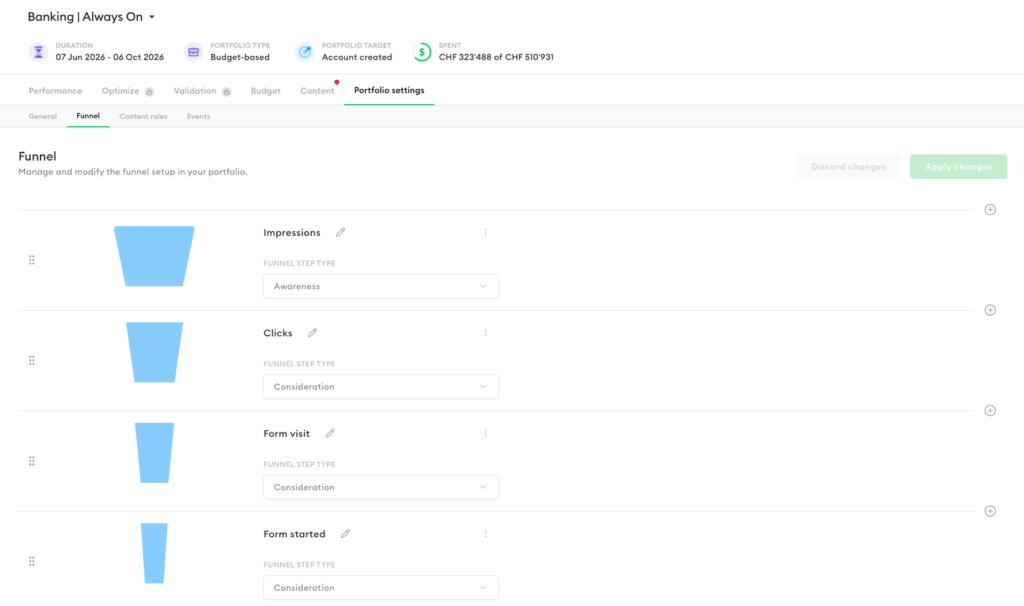
Open your portfolio and go to Portfolio settings → Funnel. This is where funnel steps are created, ordered, and edited.
How to define your funnel
- Start from the top of your funnel and follow the customer journey: which metric captures the first touchpoint (e.g., impressions), and what are the steps that lead to your end result (purchase, lead, sign-up)?
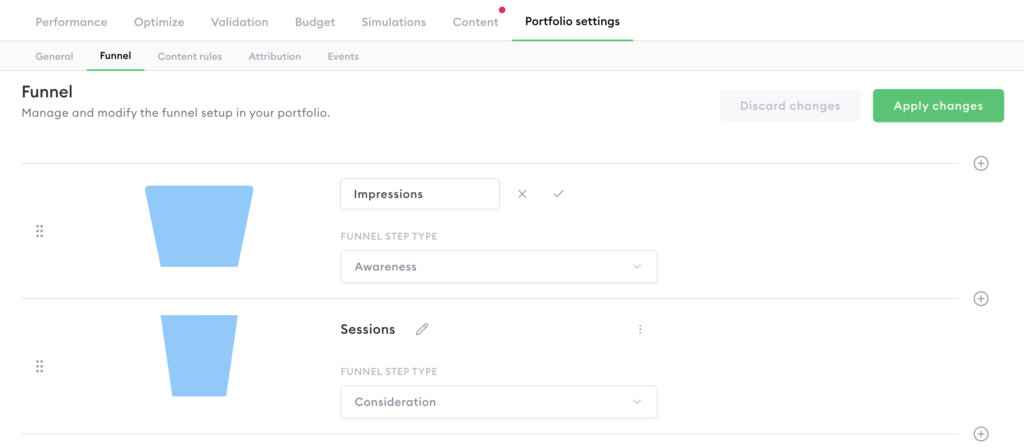
- In Portfolio settings → Funnel, add a step for each stage and select the metric it represents.
- Order the steps from top of funnel (typically Impressions) down to your portfolio target.
- Save. The funnel now appears in the Performance tab.
A typical e-commerce funnel: Impressions → Clicks → Sessions → Conversions → Revenue. A typical lead-generation funnel: Impressions → Clicks → Sessions → Leads.
Note that a funnel step is only a definition until data flows into it. Which campaigns feed each step is configured through content rules; see Mapping campaigns into your funnel. Impressions and clicks typically come from the ad platforms directly, while sessions and conversions usually come from Google Analytics 4.
Can’t find the answer to your question?
No problem, you can submit your question to us here.
Contact