
Mapping campaigns: content rules and naming conventions
Once your channels are connected and the funnel is defined, Nexoya needs to know which campaigns belong to your portfolio and how their data feeds your funnel steps. Content rules handle this automatically.
What a content rule does
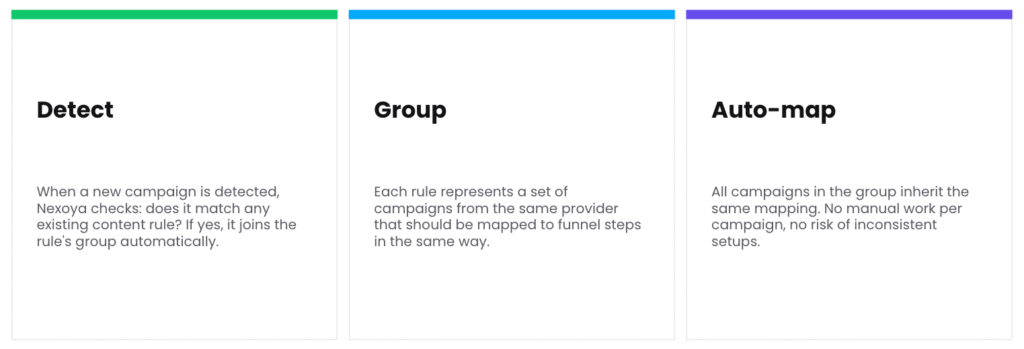
A content rule is the auto-detection mechanism of your portfolio. It does three things:
Detect: When Nexoya finds a new campaign in your connected channels, it checks whether the campaign matches an existing content rule, for example by channel and title pattern. If it matches, the campaign joins the portfolio automatically.
Group: Each rule represents a set of campaigns from the same channel that should be treated the same way, for example all Meta Brand campaigns.
Auto-map: All campaigns in the group inherit the same funnel mapping. No manual work per campaign, and no risk of inconsistent setups.
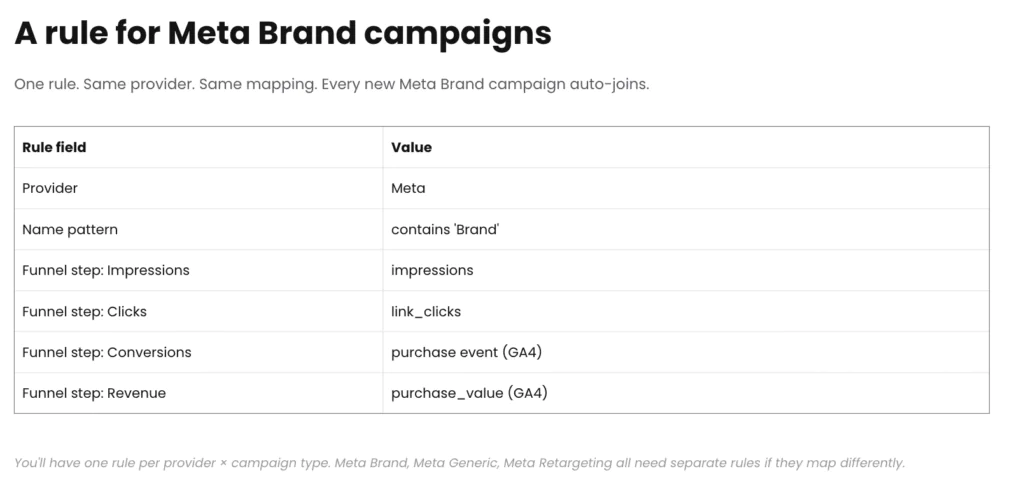
The practical rule of thumb: you need one content rule per channel and campaign type. If Meta Brand, Meta Generic, and Meta Retargeting campaigns should feed your funnel differently, they need separate rules.
An example
A shoe brand runs Meta campaigns named “meta | CH | prospecting | sneakers” and “meta | CH | prospecting | boots.” You create one content rule: every Meta campaign whose title contains “prospecting.” To that rule you attach the instructions for the whole group: these campaigns belong in the portfolio, their impressions and clicks feed those funnel steps, and conversions come from GA4.
Next month, the client launches “meta | CH | prospecting | sandals.” Nexoya detects it, matches it against the rule, and the campaign joins the portfolio with the correct mapping automatically. A content rule is a sorting instruction you write once: campaigns that look like this get treated like that.
Where to find it
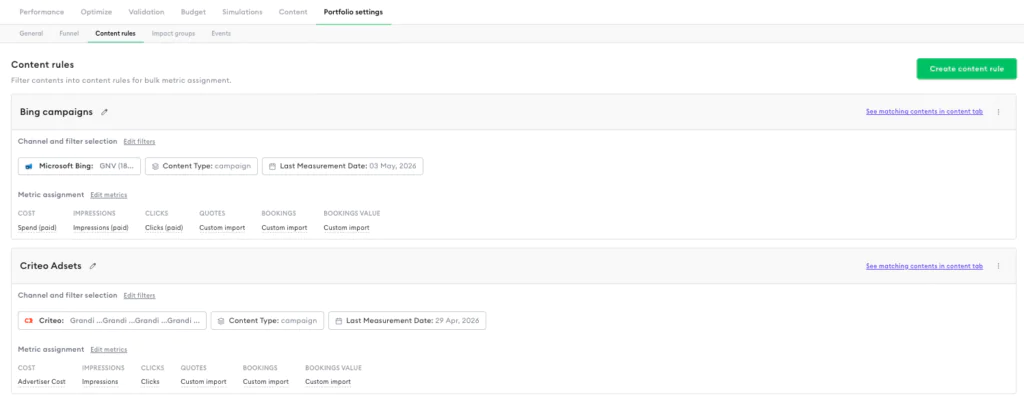
Content rules are created and managed under Portfolio settings → Content rules. The results show up in the Content tab: matched campaigns appear there with mode “Rule-Based,” newly detected campaigns wait under “Discovered contents,” and rule matches that haven’t been applied yet appear under “Unapplied rules.”
Naming conventions
Content rules can only distinguish campaign types if the campaign names follow a recognizable pattern. That makes a consistent naming convention on the channels a precondition for clean automation. It doesn’t matter what the convention is, as long as it’s applied consistently, for example: channel | market | campaign type | product, giving names like “meta | CH | brand | shoes.”
Note: If your existing campaigns follow no consistent pattern, this is worth fixing before setting up the rules; it’s the single most common cause of mapping problems.
Setting up your rules
- Take stock of your campaign types per channel: which groups exist, and which funnel data should each deliver?
- Create one content rule per group under Portfolio settings → Content rules, using channel and title conditions to match the right campaigns.
- Define the mapping for each rule: which metrics feed which funnel step (see [Mapping sources]).
- Check the Content tab to confirm all expected campaigns were matched, and review “Discovered contents” for anything the rules missed.
From then on, new campaigns that follow your naming convention join the portfolio and inherit the correct mapping automatically.
Can’t find the answer to your question?
No problem, you can submit your question to us here.
Contact