Creating a portfolio: the six setup fields
Before creating a portfolio, make sure your channels are connected and you know what the portfolio should achieve: one portfolio serves one business goal with one target KPI.
To start, click “Create Portfolio” in the portfolio overview and configure the following fields.
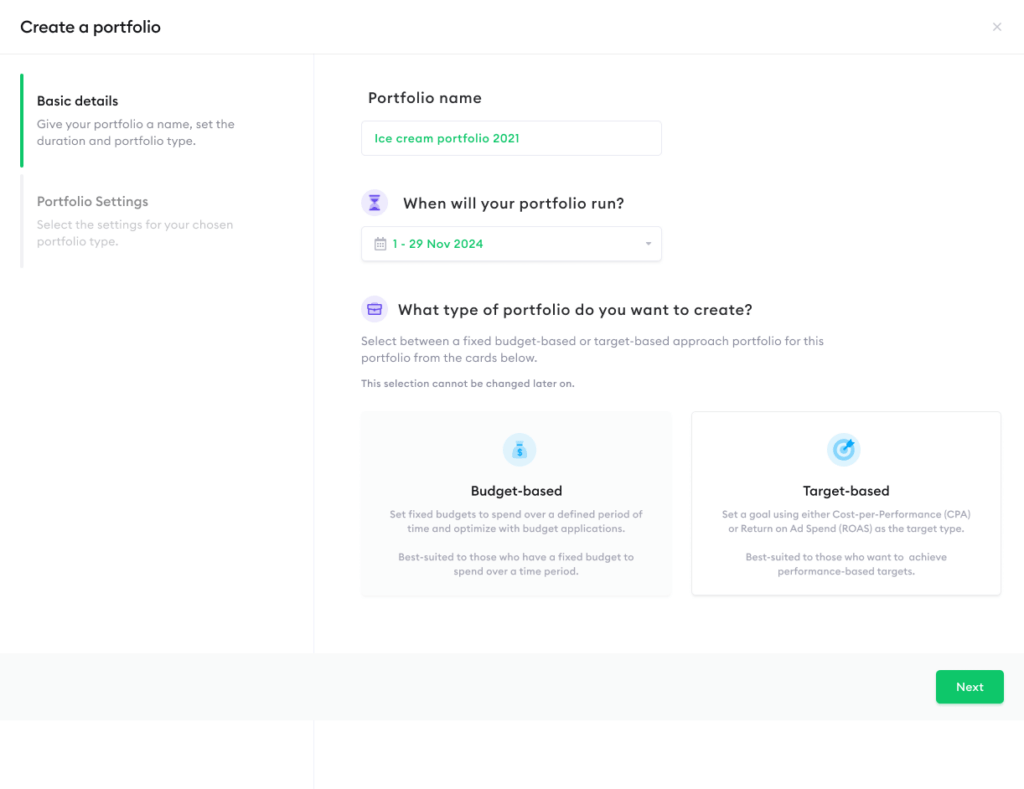
Name: Choose a descriptive name, including the brand, market, or business unit where relevant, for example “E-commerce | Always On” or “Leads | DACH.” With multiple portfolios, clear names keep the overview readable.
Duration: The start and end date of the portfolio. The start date is when data collection for the portfolio view begins. For ongoing campaigns, pick a generous end date; it can be extended later in the portfolio settings.
Budget: The planned budget for the portfolio. This is the basis for the Budget tab, where planned budget is compared against actual spend. The budget can be refined into periods later using budget items (see Managing your budget).
Target metric: The KPI the portfolio optimizes toward – for example, conversions, leads, or attributed revenue. Shown as the portfolio target in the header, it becomes the last step of your funnel and defines the optimization objective.
Currency: Amounts are displayed in your team’s currency, which is managed in your team settings, not per portfolio. Check it’s correct before creating your first portfolio.
After creating the portfolio, two setup steps remain: defining the funnel (see Defining your funnel) and mapping your campaigns into it (see Mapping campaigns into your funnel). The portfolio starts showing data once both are done.
Can’t find the answer to your question?
No problem, you can submit your question to us here.
Contact