
How does access work?
Nexoya Starter is available by invitation only. There is no public sign-up.
Getting access
You’ll receive the details you need to get started, including a link to activate your account.
To activate your account:
- Open the invitation link you received.
- Enter your access code and create your account.
- Log in and start by connecting your first channel. See Connecting your data for a step-by-step guide.
Inviting team members
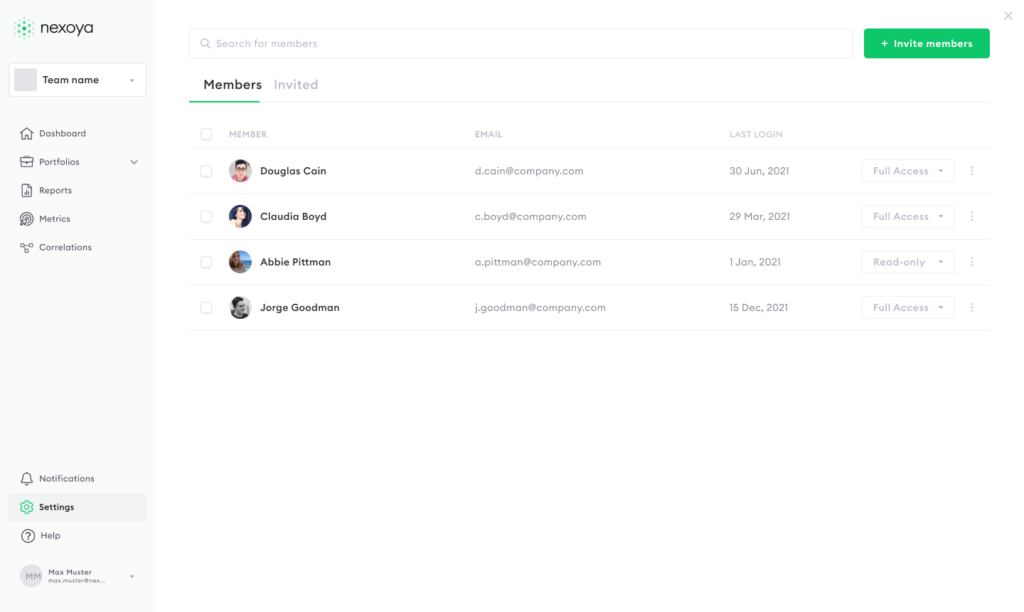
A Nexoya Starter account can have up to three team members, so you can bring in the people who need visibility into your campaigns. Inviting them is simple – just head to Settings, then Members, and click “Invite members” to get them set up. If your team grows beyond three seats, that’s exactly what Nexoya Premium is built for, giving you the extra room to scale.
Questions about access
Having trouble accessing your account, or have any other questions? Submit a ticket here, and our support team will be happy to assist you as quickly as possible.
Can’t find the answer to your question?
No problem, you can submit your question to us here.
Contact