
Amazon is the world’s third-largest digital advertising platform, spanning shopping, streaming, and programmatic inventory. With this integration, you can connect your Amazon Ads account to Nexoya and optimize it alongside all your other channels – with Nexoya continuously allocating your budget for maximum return across your entire channel mix, automatically.
Two separate channels
Amazon Ads in Nexoya is split into two distinct channels: Amazon Sponsored Ads and Amazon DSP. Each is a separate integration and must be connected independently. Depending on which Amazon products you use, you may connect one or both.
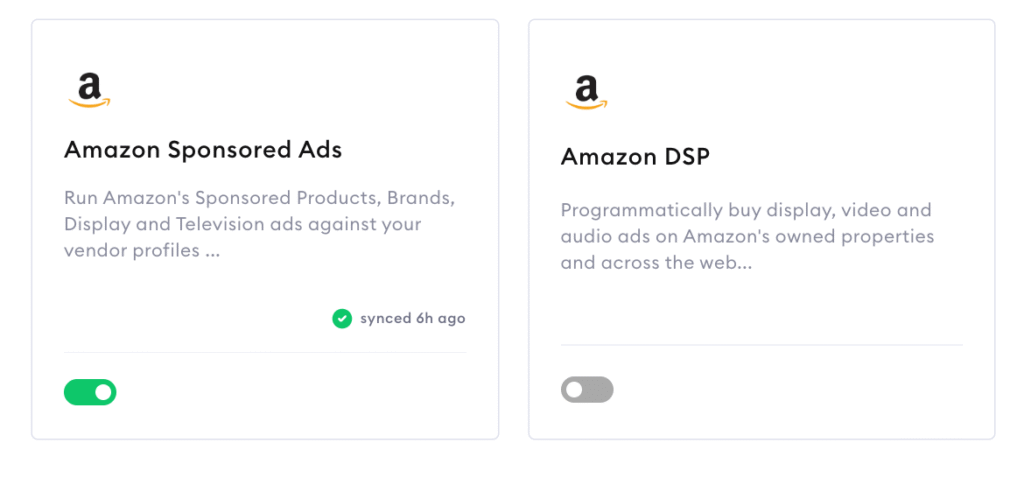
1. Amazon Sponsored Ads
This channel bundles Amazon’s four self-service ad products under a single connection:
| Sub-product | Description |
|---|---|
| Sponsored Products (SP) | Cost-per-click ads promoting individual product listings, appearing on search results and product pages. |
| Sponsored Brands (SB) | Banner ads at the top of search results, featuring a brand logo and product carousel. |
| Sponsored Display (SD) | Display and retargeting ads served on and off Amazon. |
| Sponsored Television (ST) | Video ads on streaming surfaces including Prime Video and Twitch. |
You select which sub-products to enable when setting up the channel.
2. Amazon DSP (Demand-Side Platform)
Amazon’s programmatic ad-buying platform for running display and video campaigns across Amazon-owned properties (Prime Video, IMDb, Twitch) and third-party sites and exchanges. This is a separate channel connection from Sponsored Ads.
What Nexoya can do with your Amazon Ads
Data ingestion
Nexoya pulls in accounts, campaigns, and KPIs automatically across both channels, giving you a unified view of Amazon performance alongside the rest of your channel mix.
Automated budget changes
Supported level of budget adjustments:
| Channel | Level |
|---|---|
| Amazon Sponsored Ads | Campaign |
| Amazon DSP | Campaign |
Automated bidding strategy changes
Supported level of bidding strategy adjustments:
| Channel | Level |
|---|---|
| Amazon Sponsored Ads | Ad group |
| Amazon DSP | Campaign |
KPI data retention limits
Keep in mind that Amazon’s API restricts how far back Nexoya can retrieve historical metrics. The limits vary by sub-product:
| Channel / Sub-product | Historical data limit |
|---|---|
| Sponsored Products | 95 days |
| Sponsored Brands | 60 days |
| Sponsored Display | 65 days |
| Sponsored Television | 95 days |
| Amazon DSP | 95 days |
Important for Sponsored Ads: If you connect multiple sub-products, the effective retention limit for the entire channel is determined by the sub-product with the shortest window.
For example: connecting both Sponsored Products and Sponsored Brands means Nexoya can only retrieve data going back 60 days across the full channel – the Sponsored Brands limit applies to all sub-products in that connection.
How to connect
- Navigate to Settings at the bottom left side
- Search for “Amazon ads”
- Select Amazon Sponsored Ads, Amazon DSP, or both (as separate connections).
- Follow the authentication flow to authorize Nexoya access to your Amazon Ads account.
- For Sponsored Ads: select the sub-products you want to enable.
Need help?
Contact your Customer Success Manager or reach us at support@nexoya.com.